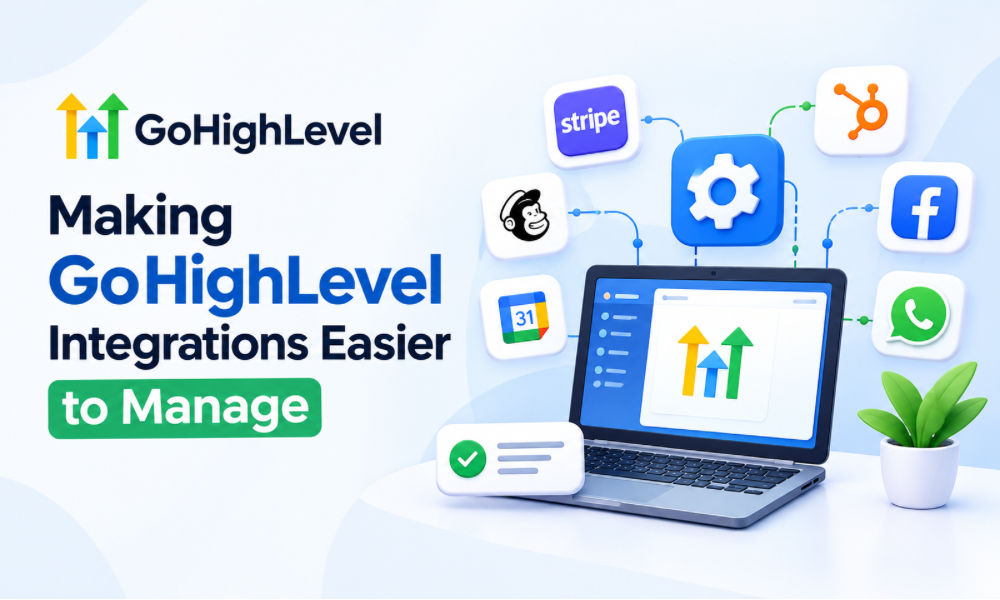
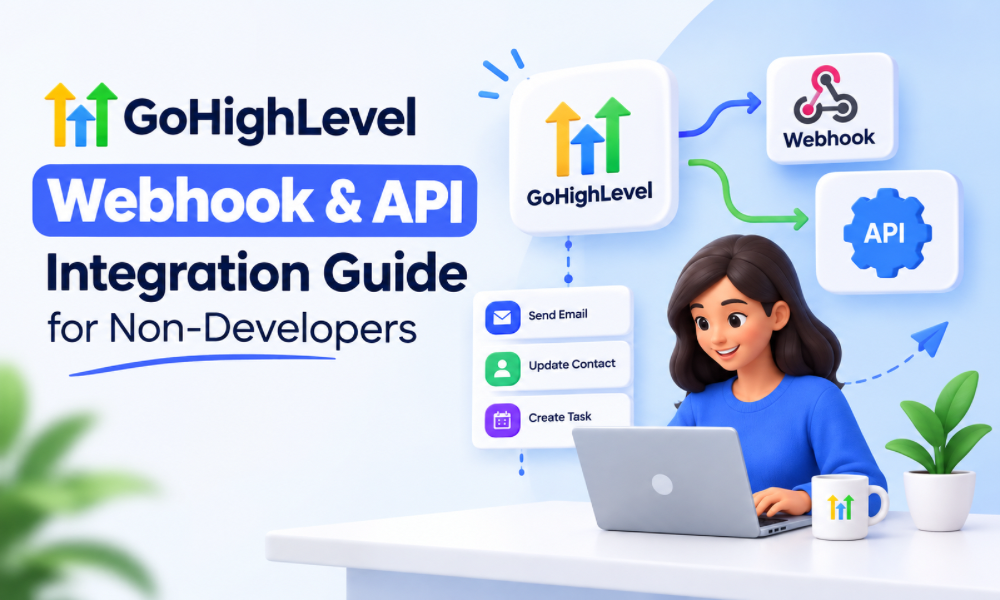
Connecting different business tools can feel complicated when technical terms like APIs, webhooks, endpoints, authentication, payloads, and JSON appear during setup. For businesses using GoHighLevel, however, you do not always need to be a developer to understand how integrations work or how they can improve your workflows.
GoHighLevel webhooks and API integrations allow information to move between your CRM and other applications. A form submission can trigger another system, a payment event can update a contact, or a change inside your CRM can send information to an external platform. Once these connections are planned properly, they can reduce repetitive work and make customer processes more connected.
The important part is understanding what should happen, when it should happen, and where the information needs to go. The technical implementation can then be handled using GoHighLevel’s available tools, third-party platforms, or professional support when necessary.
For businesses that rely heavily on automation, understanding this foundation can also make it easier to work with gohighlevel crm services, automation specialists, and integration professionals.
What Is a GoHighLevel Webhook?
A webhook is a way for one application to send information to another application when a specific event occurs.
Imagine that someone fills out a lead form on your website. Instead of manually copying that person’s information into another system, a webhook can send the relevant information automatically when the form submission happens.
The receiving application gets data containing details about the event. Depending on the setup, that information could include a name, email address, phone number, appointment details, transaction information, tags, or other available fields.
The key idea is that a webhook is generally event-driven. Something happens first, and that event causes information to be sent somewhere else.
This makes webhooks particularly useful for businesses that want their GoHighLevel workflows to communicate with external applications without requiring employees to move information manually.
API vs Webhook: What Is the Difference?
API and webhooks are related concepts, but they are not the same thing.
An API provides a structured way for applications to communicate and request or exchange information. One application can use an API to retrieve data, create records, update information, or perform other supported actions.
A webhook works more like an automated notification. When an event happens, one system sends information to another system.
For a simple example, imagine a customer books an appointment.
With a webhook, the system could automatically send appointment information to another application when the booking occurs.
With an API, another application may be able to request information from the CRM or send information back to it, depending on the API permissions and available endpoints.
For non-developers, the easiest way to remember the difference is this: APIs allow systems to communicate through defined requests, while webhooks commonly push information when an event happens.
Both can become important components of a broader GoHighLevel integration strategy.
Why Non-Developers Should Understand GoHighLevel Integrations
You do not need to write code to benefit from understanding integrations.
In fact, business owners and marketing teams often need to understand the business logic behind an integration more than the technical code itself.
Before someone builds an integration, you should be able to answer questions such as:
What event should start the process?
What information needs to be transferred?
Where should that information go?
What should happen after the receiving system gets it?
What happens if the integration fails?
Should the workflow run once or multiple times?
Should certain contacts be excluded?
These questions determine whether an integration actually solves a business problem.
A certified GoHighLevel (GHL) expert can help with the technical side, but the business owner still needs to define what the automation is supposed to accomplish.
Understanding the Basic Integration Flow
Most integrations can be understood through a simple sequence.
First, an event occurs inside GoHighLevel or an external application. This could be a form submission, appointment booking, payment, pipeline change, or another supported event.
Next, the system prepares the relevant information. This information is commonly structured into fields that another application can understand.
The webhook or API connection then transfers that information.
The receiving application processes the data and acts.
Finally, another automation may continue the customer journey.
For example, a new lead could submit a form, enter a GoHighLevel pipeline, trigger a webhook, create a record in another application, and then receive a follow-up message through an automated workflow.
The technical components may vary, but the business logic remains relatively straightforward.
What Is an API Endpoint?
An endpoint is a specific location within an API where a particular type of request is handled.
You can think of an endpoint as a designated door into an application.
One endpoint might allow information to be retrieved, while another could allow information to be created or updated. The exact capabilities depend on the application and its API documentation.
Non-developers do not necessarily need to memorize endpoint structures. What matters is knowing that an integration usually needs a specific destination and a defined action.
When working with GoHighLevel automation services, you may hear an integration specialist ask which endpoint should receive the data. This is part of determining exactly how the two systems should communicate.
What Is a Webhook URL?
A webhook URL is the destination where data is sent.
If an external application provides a webhook URL, GoHighLevel can potentially send information to that destination when the configured event occurs.
For example, an automation could be designed so that when a particular action occurs, information is sent to a webhook URL.
The receiving application then determines what to do with that information.
This is why copying a webhook URL is not enough to create a complete integration. You also need to know what information should be sent and how the receiving system expects that information to be formatted.
Mapping GoHighLevel Fields to Another Application
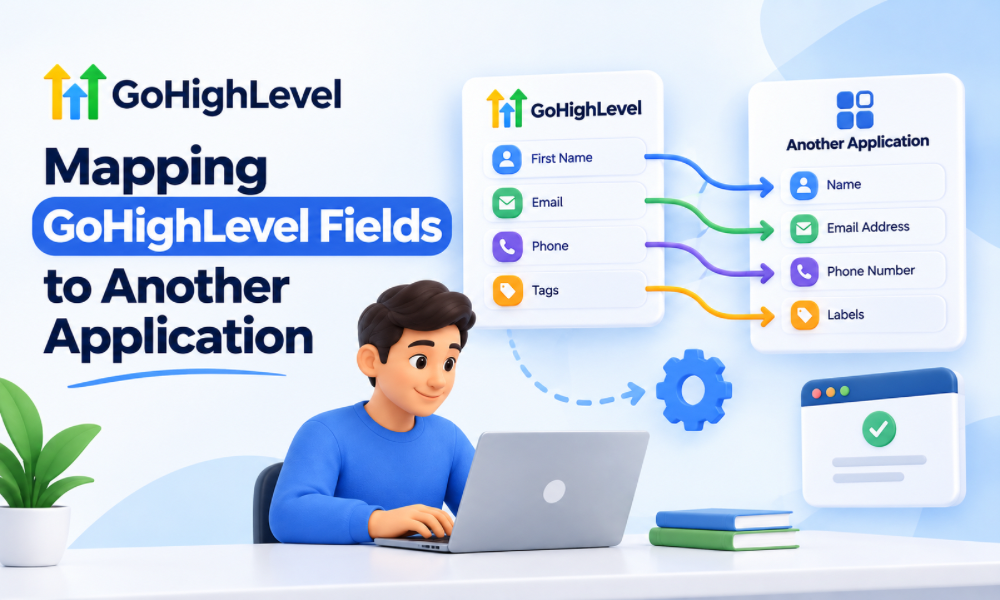
Field mapping is one of the most important parts of an integration.
Suppose GoHighLevel contains a field called First Name, while another application expects a field called customer_first_name.
The integration needs to know that these two fields represent the same information.
The same applies to phone numbers, email addresses, company names, appointment dates, lead sources, tags, custom fields, and other information.
Poor field mapping can create confusing problems. The integration may appear to work, but the receiving application could contain incomplete or incorrectly organized records.
This is one reason businesses often use gohighlevel crm services when they have complex CRM structures or multiple systems that need to exchange information.
Authentication: How Systems Know They Can Communicate
Applications generally need some method of verifying that a request is authorized.
This process is called authentication.
Depending on the integration, authentication may involve API keys, access tokens, OAuth, headers, or another authorization mechanism.
For a non-developer, the most important rule is simple: never treat authentication credentials like ordinary text.
API keys and access tokens can provide access to systems or data. They should not be casually pasted into public documents, screenshots, chat messages, or unsecured spreadsheets.
If an integration requires credentials that you do not understand, it is better to have someone experienced configure the connection than to experiment with sensitive access information.
A GoHighLevel automation expert can help determine what authentication method the external platform requires and how it should be configured safely.
Common GoHighLevel Webhook Use Cases
Webhooks become particularly useful when your business uses several applications that need to exchange information.
A lead generation process is one common example. A prospect submits a form, and the resulting information needs to reach another system for additional processing.
Appointment management is another use case. A booking event can trigger an external process, notification, reporting action, or internal workflow.
Payments can also create integration opportunities. When a transaction occurs, the business may want another system to receive relevant customer or order information.
Lead qualification is another practical application. A CRM event could send information to a separate application that performs additional processing before returning information to the CRM.
The specific use case depends on the systems involved, but the underlying objective is usually the same: remove unnecessary manual data movement.
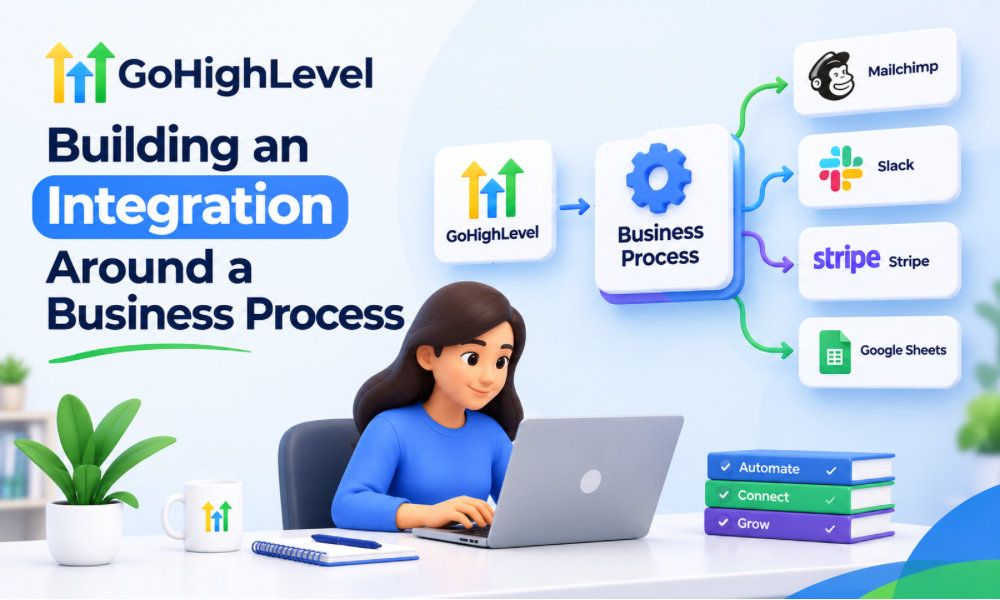
Building an Integration Around a Business Process
One of the biggest mistakes is starting with the technology instead of the business process.
Instead of asking, “How can I use a webhook?” start with a question such as:
“When a qualified lead enters my CRM, what should happen next?”
The answer might be that the lead should be assigned to a salesperson, added to another platform, placed into a nurture campaign, and tracked for reporting.
Only after defining the process should you decide whether a webhook, API, native integration, workflow, or another method is appropriate.
This approach makes GoHighLevel automation services more effective because the automation is built around an actual business requirement rather than a technical feature.
GoHighLevel Webhooks and Workflows
Workflows can act as the logic layer around integrations.
For example, you might create a workflow that begins when a contact submits a specific form.
The workflow could evaluate whether the person meets certain conditions. If the conditions are satisfied, the workflow could continue with an external action.
This creates an important distinction between the trigger, conditions, and action.
The trigger identifies when the automation begins.
Conditions determine whether the contact should continue.
The action performs the next operation.
Thinking about workflows this way makes complex automation easier to understand.
Using Custom Fields in Integrations
Custom fields can make integrations much more useful because businesses rarely operate with only basic contact information.
A company may need to track industry, service interest, lead source, customer type, account status, preferred appointment time, product category, or other information.
These fields can become part of the information transferred between systems, depending on the integration’s capabilities.
However, custom fields should be planned carefully.
Creating dozens of fields without a clear naming and data strategy can make your CRM difficult to maintain. Before adding a field, determine what it represents, where it is used, and whether another field already stores the same information.
What Happens When a Webhook Fails?
An integration should not be considered complete simply because it works during the first test.
Failures can happen for many reasons.
The receiving application may be unavailable. Credentials can expire. A required field might be missing. The receiving system may reject the request because the data format is incorrect. An API limit may also prevent requests from being processed as expected.
This is why error handling matters.
Businesses should know how integration failures will be identified and what happens afterward. Depending on the setup, this may involve logs, notifications, retries, manual review, or another recovery process.
A well-designed automation considers both the successful path and the failure path.
Testing Before Launching an Integration
Testing should happen before an integration is connected to a large volume of real customers.
Start with controlled test data.
Trigger the workflow using a test contact and verify what information reaches the receiving application.
Then check whether every important field is populated correctly.
Next, test different scenarios. What happens when a field is empty? What happens when a contact already exists? What happens if the same event occurs twice?
Testing these situations can reveal problems that a basic successful test would never show.
A certified GoHighLevel (GHL) expert can also help conduct more detailed testing when the integration involves several systems or complex automation logic.
When a Native Integration Is Better Than an API
Not every integration requires a custom API connection.
If GoHighLevel and another platform already provide a reliable native integration that meets your needs, using that option may be simpler to maintain.
Custom API work can become valuable when the standard connection does not support a specific business process.
The right choice depends on the requirements.
A simple process may benefit from an existing integration, while a more specialized workflow may justify custom API or webhook work.
This is where experienced gohighlevel automation services can help determine the appropriate technical approach instead of automatically choosing the most complicated option.
When You Should Consider Professional Help
Simple integrations can sometimes be configured without technical assistance, especially when the required tools provide straightforward interfaces.
More complicated systems are different.
Professional assistance can become useful when multiple applications need to communicate, sensitive customer information is involved, custom API requests are required, complex field mapping is necessary, or failures could affect revenue.
Businesses may decide to hire GoHighLevel expert support when they want someone to design the architecture, configure workflows, test integrations, document the system, and troubleshoot unexpected behavior.
The goal should not simply be getting an integration connected. The goal is creating a system that remains understandable and maintainable after launch.
What a GoHighLevel Expert Should Understand
A qualified specialist should understand more than how to connect a webhook.
They should be able to understand your customer journey, CRM structure, workflow logic, data requirements, and business objectives.
They should also be able to explain technical decisions in business-friendly language.
When evaluating someone offering gohighlevel crm services, ask how they approach testing, documentation, error handling, data security, field mapping, and future maintenance.
Technical configuration is only one part of successful automation.
How to Document Your Integrations
Documentation becomes increasingly important as your business adds more automation.
Record what triggers each integration, where the data goes, which fields are transferred, what authentication method is used, and what workflow depends on the connection.
You should also document important dependencies.
If changing a custom field could break another workflow, that relationship should be known before someone makes the change.
Good documentation makes troubleshooting easier and reduces the risk of one employee becoming the only person who understands how the automation works.
Making GoHighLevel Integrations Easier to Manage
As your automation ecosystem grows, simplicity becomes increasingly valuable.
Use clear naming conventions for workflows and custom fields. Keep unnecessary automation out of critical processes. Document important connections and review them periodically.
It is also useful to separate customer-facing automation from internal operational processes where possible.
This makes troubleshooting easier because you can identify which part of the system is responsible for a particular action.
Working with a GoHighLevel automation expert can be particularly useful when an account has accumulated years of workflows, integrations, tags, custom fields, and pipelines that were created at different times.