
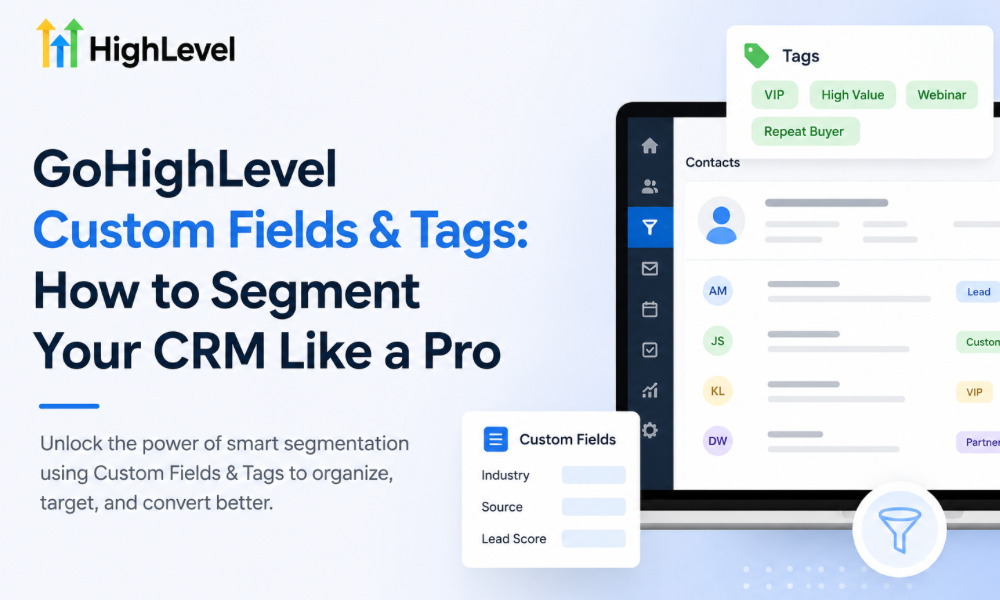
A CRM becomes genuinely useful when it tells you more than who your contacts are. Knowing someone’s name, email address, and phone number is important. Still, that information alone does not tell your team what the person needs, where they are in the buying journey, how they interacted with your business, or what communication they should receive next.
This is where custom fields and tags become extremely valuable inside GoHighLevel. When they are planned properly, they transform a basic contact database into an organized customer intelligence system. Your team can identify different customer groups, personalize communication, trigger relevant workflows, and make better decisions without manually reviewing every contact record.
The challenge is that segmentation can quickly become messy. Businesses sometimes create dozens of tags without a naming structure, use custom fields for information that should be handled differently, or build automations around inconsistent data. After several months, employees may not know which tag to use, which field contains the correct information, or whether an automation depends on a particular value.
A professional approach begins with structure.
Businesses working with a ghl automation specialist, choosing to hire gohighlevel consultant support, deciding to hire a gohighlevel expert, collaborating with gohighlevel experts toronto, or building a dedicated gohighlevel expert team can create segmentation systems that remain manageable as their contact database grows.
Why CRM Segmentation Matters
Not every contact should receive the same message.
A brand-new lead may need educational information before receiving a sales offer. Someone who has already requested a quote may require faster follow-up. A previous customer may be ready for a repeat service. A prospect who has repeatedly ignored communication may need a different re-engagement strategy.
Treating all of these contacts identically creates poor customer experiences and wastes marketing opportunities.
Segmentation allows businesses to divide contacts according to meaningful characteristics and behavior. Instead of sending one generic campaign to an entire database, teams can communicate based on what each group actually needs.
This is where GoHighLevel custom fields and tags become particularly useful. They provide a way to organize information that can later influence communication, automation, reporting, and sales activity.
Custom Fields and Tags Serve Different Purposes
One of the first things businesses should understand is that custom fields and tags are not interchangeable.
A custom field is generally useful when you need to store a specific piece of information about a contact. It might represent a customer’s company size, preferred service, location, industry, budget range, or another structured attribute.
Tags are more useful for identifying classifications, statuses, behaviors, or conditions that can change over time. A contact might receive a tag indicating that they attended a webinar, requested a consultation, became a customer, or entered a particular campaign.
The distinction becomes important when building automation. If the business needs to remember a specific value, a custom field may be more appropriate. If the business needs to identify that a particular condition or event has occurred, a tag may be more practical.
A ghl automation specialist can help determine where different types of information belong before the CRM becomes overloaded with inconsistent data.
Start With the Information Your Team Actually Uses
One of the biggest mistakes companies make is creating custom fields simply because the CRM allows them to. More fields do not automatically create better segmentation.
Before adding anything, ask what information your team actually needs to make decisions.
Does the sales team need to know the prospect’s service interest?
Does marketing need to distinguish existing customers from prospects?
Does the business operate across different locations?
Do different customer categories require different follow-up?
Does the sales process change based on company size or customer type?
The answers should determine which fields and tags are created.
When businesses decide to hire gohighlevel consultant support, the consultant can help translate these operational requirements into a practical CRM structure instead of creating fields that employees rarely use.
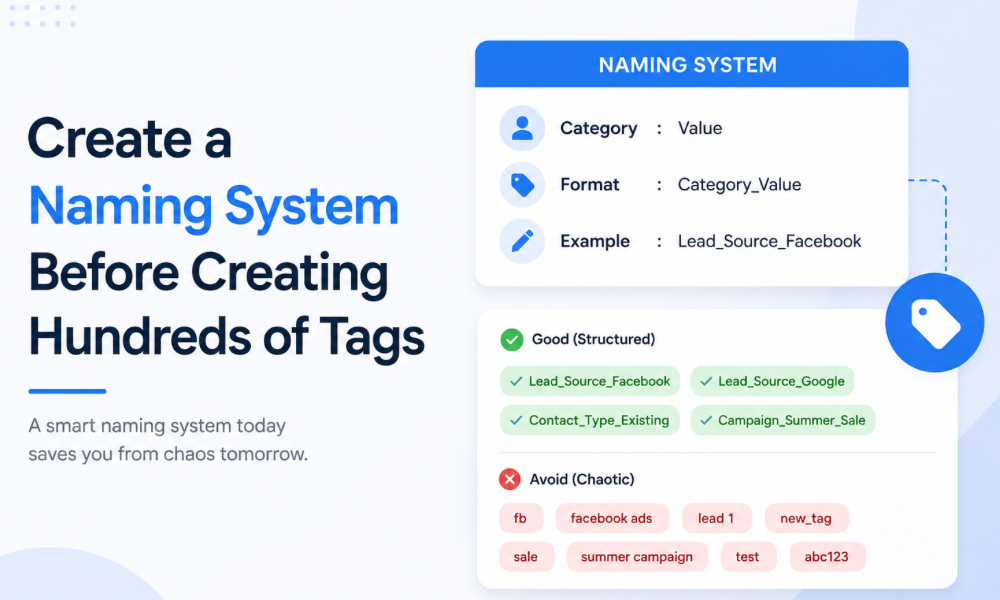
Create a Naming System Before Creating Hundreds of Tags
A CRM becomes difficult to manage when tags are created randomly.One employee might create “New Lead,” another might use “newlead,” and someone else might create “Lead-New.” Technically, these can represent the same concept, but the CRM treats them as separate labels.
A consistent naming convention prevents this problem.
Businesses should establish simple rules for how tags are named and categorized. The exact format can vary, but everyone working inside the CRM should understand the system.
Consistency becomes particularly important when automations depend on tags. If one workflow waits for a particular tag while employees continue applying variations of that tag, the automation may never behave as intended.
Segment Contacts by Customer Lifecycle
One of the most useful segmentation approaches is organizing contacts according to their relationship with the business.
A new inquiry is different from a qualified opportunity.
A scheduled appointment is different from an attended appointment.
A new customer is different from a long-term customer.
An inactive customer is different from a completely new prospect.
These distinctions can influence communication and automation throughout the customer lifecycle.
Rather than sending identical messages to everyone, businesses can design experiences that match the customer’s current relationship with the company.
A hire a gohighlevel expert approach can be particularly valuable here because lifecycle segmentation should connect directly with pipelines and workflows rather than exist as isolated labels.
Use Custom Fields for Information That Needs Context
Imagine a consulting company wants to know what service each prospect is interested in. A custom field can store that information in a structured way.
The business might also need to know the prospect’s company size, preferred consultation type, or estimated project timeline.
These details can become useful during sales conversations because employees can see relevant information without asking the same questions repeatedly.
Custom fields also provide opportunities for more personalized automation. Communication can be adapted according to information stored within the contact record rather than relying entirely on generic messages.
The key is maintaining consistency. If employees enter information differently, segmentation becomes unreliable. Structured fields work best when the business defines acceptable values and trains the team to use them consistently.
Use Tags for Behavior and Marketing Activity
Tags can be particularly effective for identifying actions contacts have taken.
Someone may have downloaded a resource, attended an event, requested information, booked an appointment, or responded to a particular campaign.
These behaviors can help determine what should happen next.
For example, a contact who has demonstrated interest in a specific topic may receive related educational communication. Someone who has already booked an appointment should not continue receiving messages designed to convince them to book one.
The goal is to make the customer’s experience responsive rather than repetitive.
A properly designed tag strategy gives automation the context it needs to react appropriately to customer behavior.
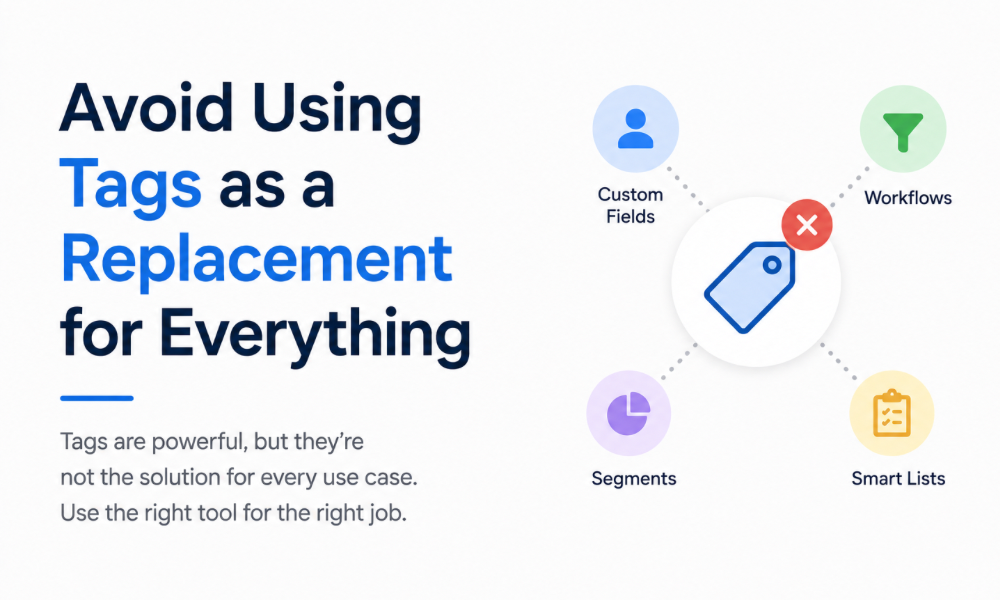
Avoid Using Tags as a Replacement for Everything
Because tags are easy to create, businesses sometimes use them for every possible piece of information. Eventually, the contact record becomes covered with dozens of labels that are difficult to interpret.
This creates two problems.
First, employees struggle to understand what the tags actually mean.
Second, automations become difficult to maintain because multiple workflows may depend on overlapping or outdated tags.
A professional gohighlevel expert team will usually focus on creating a smaller number of meaningful segmentation rules rather than attaching every imaginable label to every contact.
Good CRM organization is about clarity, not volume.
Build Segments Around Real Business Decisions
A useful segment should help someone make a decision.
If knowing that a customer belongs to a particular group does not change communication, sales activity, reporting, or service delivery, the information may not need to be captured.
For example, separating customers based on service interest can be useful if each service requires different follow-up. Segmenting contacts based on an attribute that never changes anything operationally may create unnecessary complexity.
This is why CRM segmentation should begin with business processes rather than software features.
The most valuable question is not “What can we track?”
It is “What information would help us serve this customer better?”
Connect Segmentation With Automation
Custom fields and tags become significantly more powerful when connected to workflows.
A particular tag can trigger a follow-up sequence.
A field value can influence which communication someone receives.
A customer status can determine which internal notification is created.
An appointment outcome can change the next stage of the relationship.
This creates a CRM that responds to customer activity rather than simply storing information.
Businesses working with gohighlevel experts toronto or specialists in other markets can design these workflows around specific customer journeys while accounting for the operational requirements of the business.
The technology is powerful, but the strategy behind the automation determines whether it creates value or confusion.
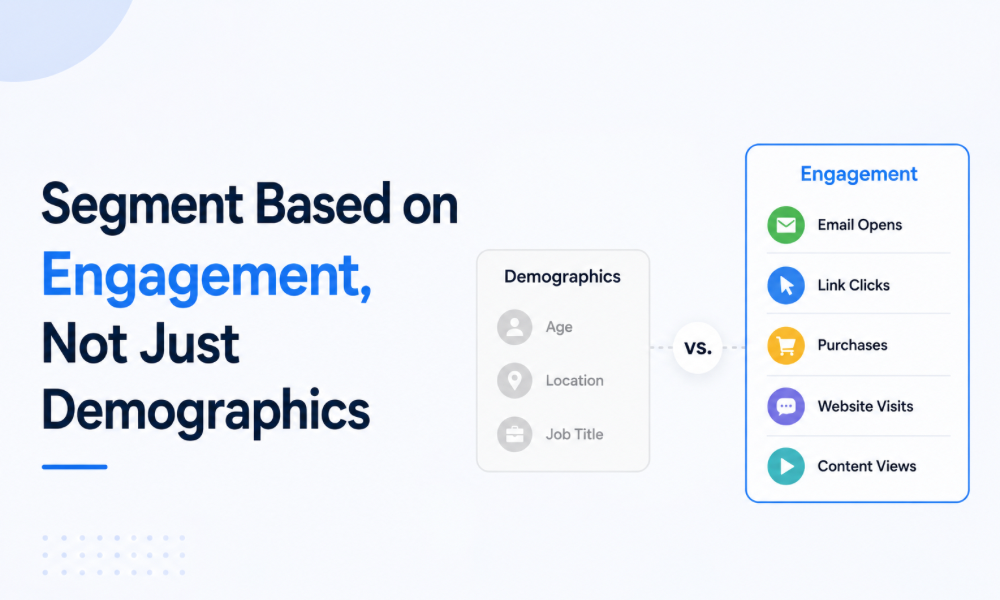
Segment Based on Engagement, Not Just Demographics
Demographic information can be useful, but behavioral segmentation often provides much stronger marketing signals.
A contact who has opened several emails, visited pricing pages, attended an event, and requested additional information may demonstrate much higher intent than someone with similar demographic characteristics who has never interacted with the business.
Tracking engagement allows businesses to adapt communication according to actual behavior.
This creates opportunities for more relevant follow-up while reducing unnecessary messages to contacts who are not currently engaged.
A ghl automation specialist can help connect these behaviors with CRM processes so high-intent prospects receive appropriate attention without requiring employees to monitor every activity manually.
Keep CRM Data Clean as Your Business Grows
Segmentation systems require maintenance. Contacts change, customers move between lifecycle stages, old campaigns end, and business processes evolve.
Without regular cleanup, tags become outdated, and custom fields become inconsistent.
Businesses should periodically review which fields and tags are actively used, which workflows depend on them, and whether certain classifications can be consolidated.
This becomes increasingly important as contact databases grow. A segmentation system that works for 500 contacts may become difficult to maintain when the database reaches tens of thousands.
Organizations that hire gohighlevel consultant support can establish governance processes that keep CRM structures organized as new campaigns and customer categories are introduced.
Train Your Team to Use the CRM Consistently
Even the best CRM structure can fail if employees use it differently.
Sales representatives need to understand when information should be entered. Marketing teams need to know which segments correspond to which campaigns. Managers need to understand how pipeline stages and tags relate to reporting.
Simple documentation and internal training can prevent significant problems.
When everyone follows the same rules, the CRM becomes a reliable source of information rather than another system employees interpret differently.
A dedicated gohighlevel expert team can help establish these processes during implementation and refine them as the organization grows.
Create Segments That Your Sales Team Can Actually Use
A CRM segment should make someone’s job easier. If a salesperson opens a contact record and immediately understands what the prospect is interested in, what stage they are in, what they have already done, and what conversation should happen next, the segmentation system is doing its job. If the salesperson has to interpret ten different tags before understanding the customer, the system has become a burden.
This is why segmentation should always be connected to practical sales decisions. A service-based business might separate contacts according to their requested service, urgency, location, buying stage, or previous interaction. An agency may want to distinguish prospects from active clients, identify accounts that need attention, and separate contacts according to campaign or service interest. These classifications can then influence both sales activity and automated communication.
A well-planned system supported by a gohighlevel expert team should make important customer information visible without requiring employees to search through long contact histories.
Use Segmentation to Personalize Follow-Up
Personalization becomes much more useful when it is based on meaningful information rather than simply inserting a contact’s first name into an email. A prospect who has expressed interest in one service should not necessarily receive the same follow-up as someone researching a completely different solution.
Custom fields and tags can help businesses understand these differences and adjust communication accordingly. A prospect who has requested pricing may need a direct sales follow-up, while someone who downloaded an educational resource may still need additional information before making a decision.
The purpose of segmentation is to make communication more relevant. Customers should feel that the business understands their situation rather than receiving messages that appear to have been sent to an entire database.
A ghl automation specialist can create workflows that use these distinctions without requiring employees to manually create every communication.
Create Segments for High-Value Customers
Not every customer contributes the same amount of value to a business. Some may purchase once, while others return regularly, purchase multiple services, or generate substantial long-term revenue.
CRM segmentation can help businesses identify these differences and develop appropriate customer experiences. High-value customers may deserve more personalized communication, priority support, loyalty campaigns, or proactive outreach.
The purpose is not to treat other customers as less important. It is to understand customer value well enough to allocate resources intelligently.
Businesses that hire gohighlevel consultant support can build segmentation models around customer lifecycle and value, creating a clearer picture of which relationships deserve proactive attention.
Separate Prospects From Customers
One of the simplest but most important CRM rules is distinguishing prospects from existing customers. These groups have completely different communication needs.
A prospect may need information about the company’s services, proof of expertise, answers to objections, and reasons to take the next step. A customer may need onboarding information, service reminders, support communication, review requests, renewal information, or additional offers.
When both groups remain in the same undifferentiated segment, businesses risk sending irrelevant messages.
A strong GoHighLevel structure ensures that once someone becomes a customer, their communication journey changes accordingly. Previous sales-focused automation can stop while customer-focused workflows begin.
This is one area where businesses may benefit from choosing to hire a GoHighLevel expert, particularly when customer journeys involve multiple stages and communication channels.