
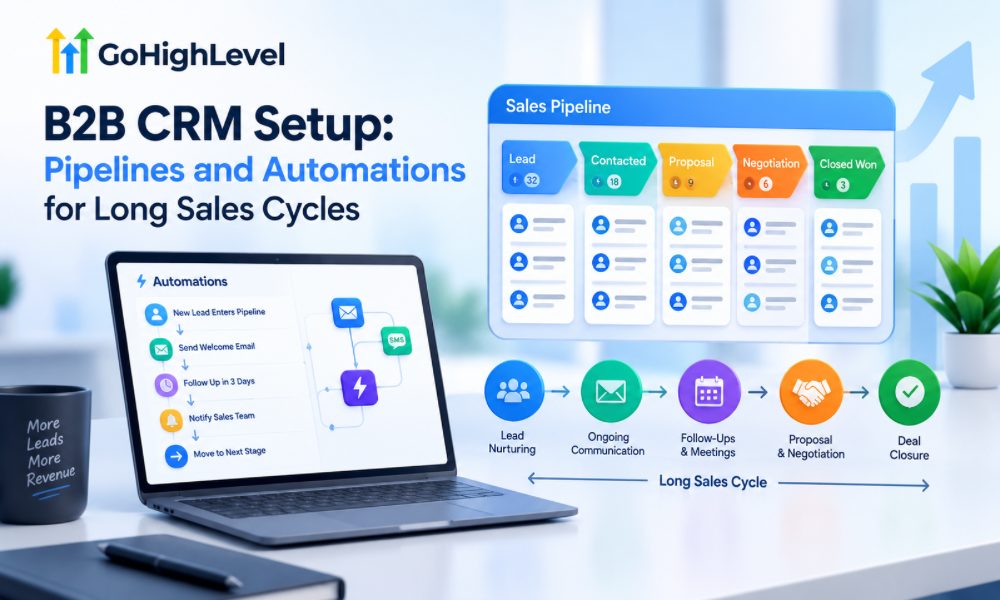
B2B sales rarely follow a straight line. A prospect may discover a company through a website, download a resource, attend a webinar, speak with a sales representative, request a proposal, involve several decision-makers, and then disappear for three weeks before returning with another question. In some industries, the journey from first contact to signed agreement can take months.
That makes CRM structure especially important.
GoHighLevel can manage complex B2B journeys by combining pipelines, contact records, custom fields, tasks, forms, calendars, communication workflows, and automation. But simply creating a pipeline and adding a few follow-up emails does not create an effective B2B CRM.
The system needs to reflect how your sales process actually works.
A well-designed setup should help sales teams understand where every opportunity stands, identify what needs attention, automate appropriate follow-ups, and maintain useful context throughout a long buying cycle. This is where GoHighLevel CRM services can be valuable for businesses that need a CRM environment built around their specific sales process rather than a generic template.
Why B2B Sales Need a Different CRM Structure
B2B purchases usually involve more variables than straightforward consumer transactions.
A prospect may need to secure a budget, obtain approval from management, compare vendors, involve procurement, review technical requirements, and negotiate contract terms before making a decision. The person who initially fills out a form may not even be the person who signs the agreement.
This creates a challenge for sales teams.
A basic pipeline that only contains stages such as New Lead, Contacted, Proposal, and Won may not provide enough information to explain what is actually happening.
A B2B CRM should capture both the commercial stage and the context behind the opportunity.
Start by Mapping the Real Sales Journey
Before building anything inside GoHighLevel, document the actual journey a qualified prospect takes.
Think about what happens from the first meaningful interaction through closed business. Identify the events that cause an opportunity to move forward and the conditions that indicate it should remain in the current stage.
For example, a business might move from initial qualification to discovery, solution evaluation, stakeholder review, proposal, negotiation, procurement, and final decision.
The exact stages will vary by company.
The important principle is to create stages based on meaningful changes in buyer intent rather than simply dividing the sales process into arbitrary time periods.
Keep Pipeline Stages Specific Enough to Be Useful
A pipeline should give a sales representative an immediate understanding of what needs to happen next.
If stages are too broad, opportunities can sit in the same column for weeks without anyone knowing whether the prospect is actively evaluating the solution or has gone completely silent.
If stages are too granular, the pipeline becomes difficult to maintain and salespeople may spend more time updating CRM records than selling.
A practical B2B pipeline usually works best when each stage has a clear definition and an explicit movement criterion.
For example, “Proposal Sent” should mean that an actual proposal has been delivered to the prospect. It should not be used for opportunities where the sales representative merely intends to create a proposal.
Create Clear Entry and Exit Conditions
Every stage should answer two questions.
Why is this opportunity here?
And:
What needs to happen before it moves somewhere else?
This prevents sales teams from moving opportunities based on personal interpretation.
Suppose a discovery stage means that the prospect has confirmed a business problem, discussed requirements, and agreed that further evaluation makes sense. A sales representative should not move an opportunity to the next stage simply because an introductory call occurred.
These definitions also make automation much more reliable because workflows can respond to meaningful sales events rather than ambiguous stage changes.
Use Custom Fields to Capture B2B Context
Contact information alone is rarely enough for a complex B2B sale.
Depending on the business, useful information may include company size, industry, estimated budget, implementation timeframe, current solution, decision-making role, number of locations, primary business challenge, contract value, or expected start date.
Custom fields allow the CRM to store information that is specific to your sales process.
The goal should not be to create dozens of fields simply because GoHighLevel allows them. Every field should have a practical purpose.
If a sales representative never uses a field during qualification, reporting, segmentation, or automation, it may not need to exist.
Separate Contact Data From Opportunity Data
One of the important concepts in a B2B CRM is understanding that the person and the deal are not always the same thing.
A single company may have multiple contacts involved in one opportunity. One contact could be a marketing manager, another could be a finance stakeholder, and another could be an executive decision-maker.
At the same time, a company may purchase several services over time.
The CRM structure should therefore distinguish between information that belongs to the individual contact and information that belongs to the specific opportunity.
This becomes particularly important as a company grows and its sales process becomes more complex.
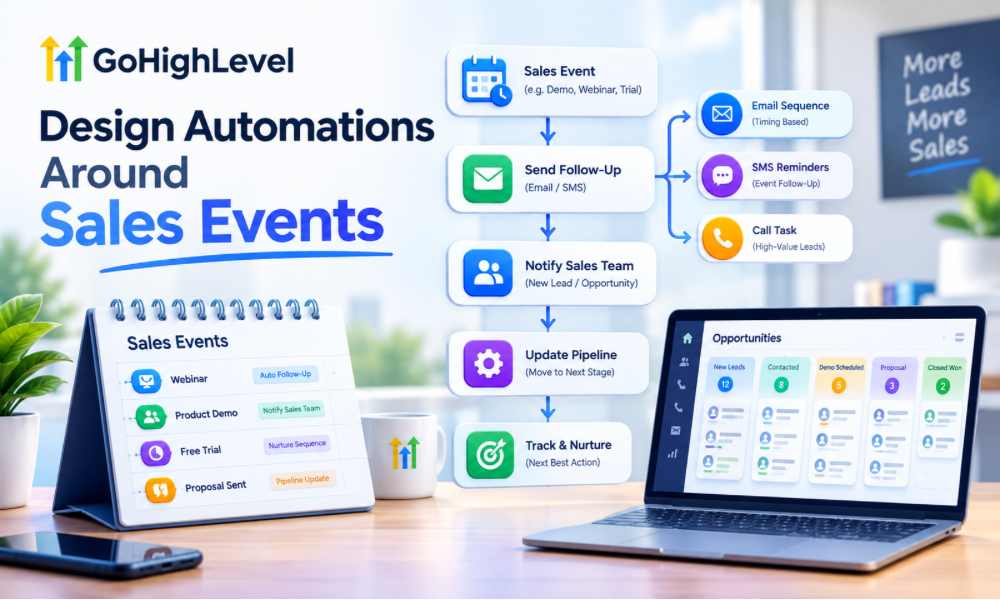
Design Automations Around Sales Events
Automation should support the sales process rather than replace it.
For example, when a qualified opportunity enters a discovery stage, the CRM could create an internal task, send an appropriate confirmation message, and schedule a follow-up activity.
When a proposal is delivered, the system could create a reminder for the sales representative to check for feedback after an appropriate period.
When a prospect books a meeting, the workflow can update relevant fields and prevent unnecessary reminder sequences from continuing.
These are useful automations because they respond to actual events in the customer journey.
Avoid Automating Every Conversation
Long B2B sales cycles often require judgment.
A prospect asking for a customized contract should not necessarily receive the same automated message as someone who downloaded a generic resource. A company entering procurement may require human coordination that cannot be handled by a standard workflow.
Automation should remove repetitive administrative work while leaving important relationship-building activities to sales professionals.
This distinction is one of the reasons businesses sometimes work with a GoHighLevel automation expert when designing complex CRM systems. The objective is not maximum automation. It is appropriate automation.
Build a Lead Qualification Workflow
Lead qualification is one of the first areas where B2B automation can save significant time.
When a new lead enters the CRM, the system can collect information through forms, identify relevant attributes, assign appropriate tags or fields, and route the contact into the correct follow-up process.
A qualification workflow might behave differently depending on the lead’s industry, company size, requested service, urgency, or other business-specific characteristics.
The workflow should ultimately help the sales team answer a simple question:
Does this opportunity deserve active sales attention right now?
Create Different Paths for Different Buying Signals
Not every lead should receive the same sequence.
Someone requesting a product demonstration has demonstrated a different level of intent from someone downloading an educational guide. A prospect asking for pricing may be further along than someone reading a general blog post.
GoHighLevel can use contact information, form submissions, appointment activity, pipeline stages, tags, and other conditions to create different paths.
This allows the CRM to reflect buyer behavior rather than forcing every prospect into a single linear sequence.
Build a Long-Term Nurture Process
Some B2B prospects are interested but not ready.
They may need to secure funding, finish another project, wait for a contract renewal, obtain leadership approval, or simply learn more before making a decision.
Removing these prospects from the CRM because they did not buy immediately wastes potential future demand.
Instead, create a long-term nurture path that keeps the company connected without overwhelming the prospect.
Educational content, relevant case studies, product updates, useful resources, and occasional check-ins can keep the relationship active while allowing the buyer to progress at their own pace.
Use Time Delays Carefully
Time-based automation can be useful in long sales cycles, but delays should reflect the actual buying process.
A generic sequence that sends a message exactly two days, four days, and seven days after every interaction may not make sense for a complex B2B purchase.
Instead, timing can be based on events.
For example, after a proposal is delivered, a follow-up may be appropriate after a reasonable review period. If the prospect responds, the automated sequence should stop or change.
The objective is to create communication that feels connected to what the prospect is actually doing.
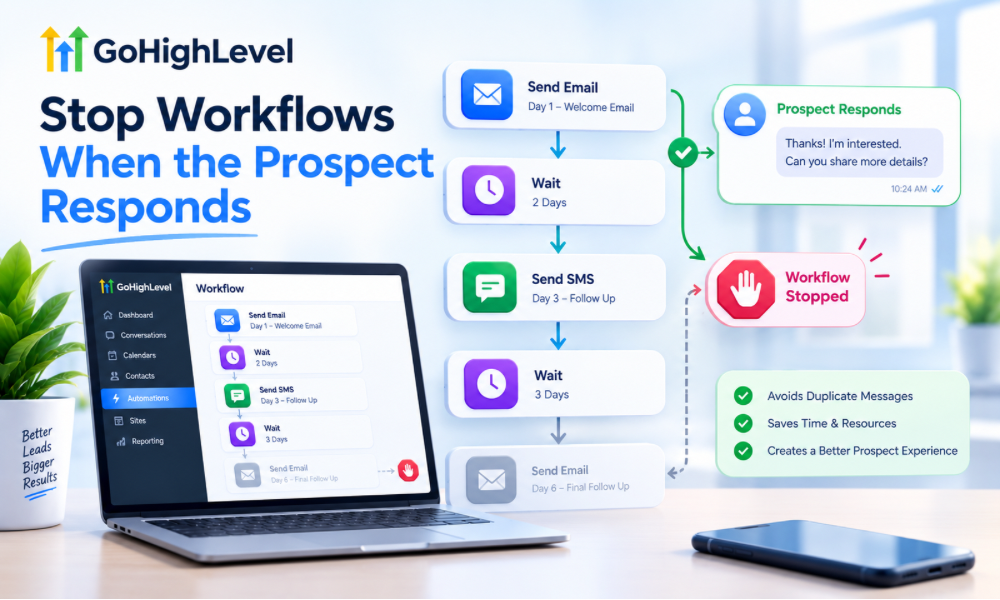
Stop Workflows When the Prospect Responds
One of the most important rules in automated sales systems is knowing when to stop.
If a prospect replies to an email, books a meeting, becomes a customer, requests no further contact, or moves into a different sales stage, irrelevant automation should not continue.
Imagine a prospect has just scheduled a sales call but receives an automated message saying, “We haven’t heard from you.”
That creates unnecessary friction.
Well-designed GoHighLevel automation services should include appropriate exit conditions so that workflows respond to changes rather than continuing blindly.
Build a Proposal Follow-Up Process
Proposal stages often create uncertainty for B2B sales teams.
A proposal might be opened immediately, reviewed internally, forwarded to another stakeholder, or ignored for several weeks. The sales representative needs visibility without becoming overly aggressive.
A structured follow-up process can combine automated reminders with human action.
The system might record when the proposal was sent, create an internal task, wait for a defined period, and then trigger an appropriate follow-up. If the prospect responds, books a meeting, or changes stage, the workflow can stop or redirect.
This creates consistency while keeping the actual relationship in human hands.
Create a “No Decision” Path
Not every opportunity becomes a clear win or loss.
Some prospects simply stop responding.
Others decide to postpone the project until next quarter. Some choose to continue with their existing provider but may reconsider later.
A “No Decision” or similar status can prevent these opportunities from disappearing from the CRM.
The important part is to separate genuinely closed-lost opportunities from prospects whose timing has simply changed.
That distinction can become valuable for future reactivation campaigns.
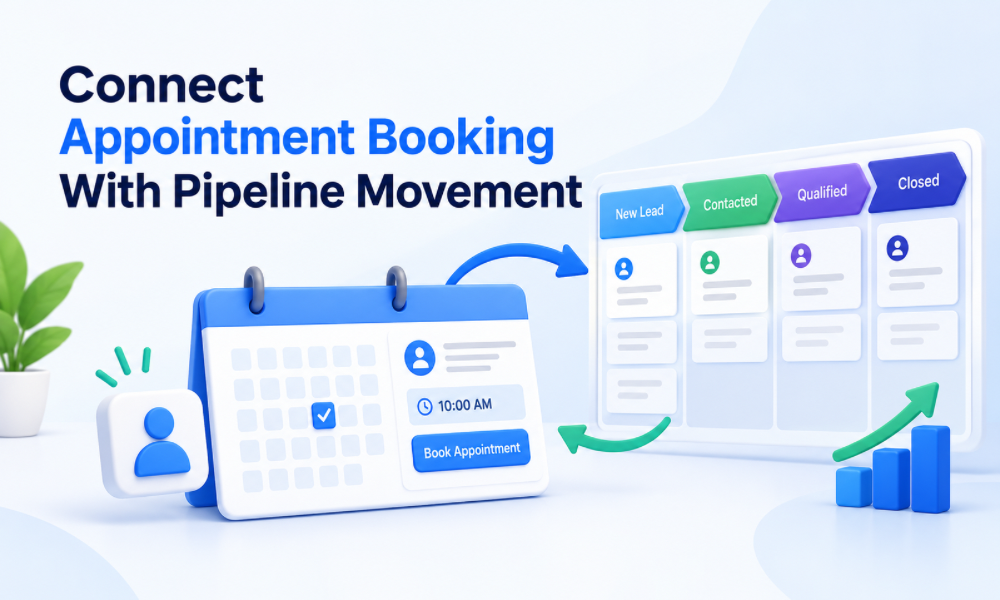
Connect Appointment Booking With Pipeline Movement
Scheduling activity should have a relationship with the sales pipeline.
When a qualified prospect books a discovery call, the CRM should ideally reflect that change. When the meeting takes place, the sales representative should have a clear place to record the outcome and determine the next stage.
This reduces the need for manual updates and helps prevent opportunities from becoming disconnected from their associated activities.
Calendar automation becomes especially useful when multiple sales representatives or meeting types are involved.
Build Internal Notifications Around Important Events
Not every event needs to trigger a customer-facing message.
Some events are more useful as internal notifications.
For example, the sales team may need to know when a high-value opportunity submits a new form, books a meeting, responds after a long period of silence, or reaches a negotiation stage.
Internal alerts can help teams prioritize their attention without increasing the number of automated emails sent to prospects.
Use Automation for Data Consistency
Long sales processes create many opportunities for CRM records to become outdated.
A salesperson might forget to update a field after a call. Another might use a different naming convention. Someone else might leave an opportunity in the wrong stage.
Appropriately designed automation can reduce some of these inconsistencies.
For example, certain actions can update fields, apply tags, create tasks, or trigger internal notifications based on defined events.
This makes reporting more dependable because the underlying CRM data is more structured.
Create Different Pipelines When the Process Is Truly Different
Not every product or service needs its own pipeline.
Too many pipelines can create unnecessary complexity.
However, if two business lines have fundamentally different sales processes, stages, decision-makers, or deal structures, separating them can make sense.
For example, a recurring software subscription and a large consulting engagement may require very different sales journeys.
The decision should be based on process differences rather than simply organizational preference.
When Professional GoHighLevel Help Makes Sense
A B2B CRM can become complicated quickly when it includes several sales representatives, multiple pipelines, lead sources, appointment calendars, nurture campaigns, and conditional workflows.
At that point, gohighlevel crm services can help businesses design the architecture before complexity becomes difficult to manage.
Working with a certified GoHighLevel GHL expert can also be useful when an existing account needs to be reorganized rather than built from scratch. The focus should be on understanding the current process, identifying unnecessary complexity, and improving the system without disrupting active sales operations.

Working With a GoHighLevel Automation Specialist
Automation is most valuable when it reflects the actual sales process.
A GoHighLevel automation expert can help translate business rules into workflows, triggers, conditions, delays, notifications, and exit paths. This can be particularly useful for long sales cycles where different prospect behaviors require different follow-up paths.
Similarly, businesses may choose to use GoHighLevel automation services when they need ongoing optimization rather than a one-time setup.
The objective should be to create a system that supports sales representatives instead of forcing them to work around the CRM.
When to Hire a GoHighLevel Expert
If the current CRM contains duplicate workflows, unclear pipeline stages, inconsistent contact data, or automations that frequently require manual intervention, it may be time to hire GoHighLevel expert support.
A specialist can audit the existing setup, map the sales journey, identify workflow conflicts, and establish a cleaner structure.
The most useful engagement is not necessarily the one that creates the largest number of automations. It is the one that makes the sales process easier to manage and the resulting data easier to understand.