
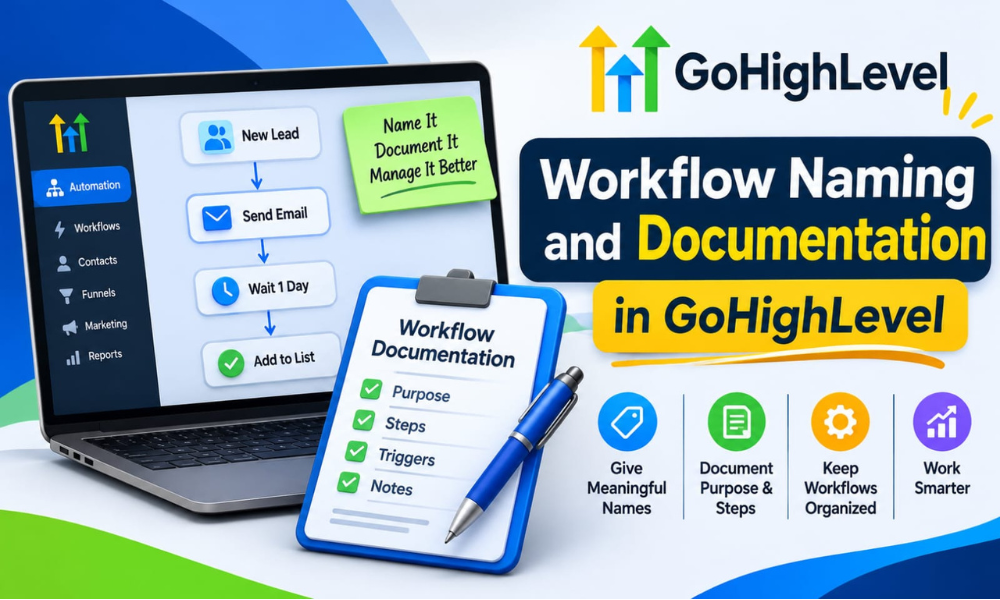
Workflow Naming and Documentation in GoHighLevel
Open the workflow list of an account that has been running for two years and you will find something like: “New Workflow”, “New Workflow (copy)”, “Test”, “Test 2 FINAL”, “Reminder”, “Reminder old DO NOT DELETE”.
Nobody knows what half of them do. Several are running. At least one is sending messages to customers and no one can say which. This is not a tooling problem — the platform will let you name things properly — it is the absence of a convention that everybody follows.
Why it stops being optional
One person building in one account can hold it all in their head. The moment a second person touches it, or the first person comes back after three months, that memory is gone and the only documentation is the names on the screen.
The cost shows up as:
- Afternoons spent working out which of two similar workflows is the live one.
- Duplicate automations doing the same job, both firing, sending everything twice.
- Nobody willing to delete anything, because nobody can prove it is unused.
- Debugging that starts with twenty minutes of orientation before the actual problem.
That third one compounds. An account where deletion feels dangerous only ever grows.
A naming convention that works
The goal is that somebody who has never seen the account can read the list and know what each one does, what fires it, and whether it is live.
A pattern that holds up:
[Status] Area – What it does – Trigger
[LIVE] Sales - 7 day lead nurture - Form submit[LIVE] Booking - Appointment reminder - 24h before[TEST] Sales - Nurture v2 - Manual add[OFF] Sales - Old nurture - Form submit
Four rules make it work:
- Status first, so sorting the list groups live automations together. LIVE, TEST and OFF are enough; more categories get ignored.
- Area second, matching how your team talks — Sales, Booking, Onboarding, Admin, Client Reporting.
- What it does in plain words, not jargon and not an internal project code.
- Trigger last, because it is the first question anyone debugging will ask.
Version numbers go in the name, not in a copy called “(copy)”. When v2 goes live, v1 gets renamed to [OFF] on the same day — not next week.

What to write down, and where
Names carry the summary. A few things need a sentence, and the description field on the workflow is the right place for them because it travels with the thing it describes.
- Why it exists. One line. “Follows up web enquiries that did not book within 24 hours.”
- What it assumes. Which tags, fields or pipeline stages must be set for it to work.
- What it touches. Tags it adds or removes, fields it writes, stages it moves.
- Who owns it. A name, so the next person knows whom to ask.
- When it was last changed and why. Two lines of history beats an archaeology session.
That is five lines and it takes two minutes while the thing is fresh in your mind. Written six months later it takes an hour and is half wrong.

Naming everything else
The same discipline applies beyond workflows, and the same chaos appears without it.
- Tags — prefix by purpose:
src-for source,int-for interest,st-for status. Without prefixes you get “webinar”, “Webinar” and “webinar-2026” meaning the same thing. - Custom fields — name for what they hold, not for the form that collects them. A field called “Question 3” is useless within a month.
- Pipelines and stages — verbs the sales team actually says out loud, not abstractions.
- Funnels and pages — include the campaign and the year. “Landing page” tells nobody anything.
- Snapshots — date them. A snapshot called “Client Starter” is a mystery about what it contains.
Tag sprawl in particular is worth fixing early. Segmentation built on inconsistent tags produces audiences nobody trusts, which is covered in more depth in our piece on duplicate contacts and data hygiene.

Cleaning up an account that already has the problem
Do not try to fix everything in one sitting. A workable sequence:
- List every workflow and mark each one live or not. The execution log answers this — anything with no runs in 90 days is a candidate for OFF.
- Rename the live ones first, using the convention. This is the highest-value hour.
- Rename the rest to [OFF] with their old name retained after it, so nothing is lost.
- Write the five-line description on your ten most important workflows only.
- Wait a month. Anything still at [OFF] with no runs and no complaints can be archived.
Resist deleting on day one. The point of [OFF] is that it is reversible, and the month of waiting is what makes deletion safe later. Before renaming anything, check the execution log to confirm what is genuinely running — our guide to the execution log covers reading it.

Frequently asked questions
Is there a way to add folders to workflows?
Organisation options vary by account, which is exactly why the naming convention matters more than the folder structure. A consistent prefix sorts correctly in any list view and survives whatever the interface does next. Build the habit, not a dependency on a feature.
Should I delete old workflows?
Eventually, but not immediately. Rename to [OFF], confirm no runs for a month, then archive or delete. The risk is not the workflow itself, it is something elsewhere referencing it — a snapshot, a trigger link, a funnel action — and a month of silence is reasonable evidence nothing does.
How detailed should the documentation be?
Five lines per important workflow. Anything longer will not be maintained, and unmaintained documentation is worse than none because people trust it. Write for the person who inherits the account, not for an auditor.
Who should own this in an agency?
One named person per sub-account, with the convention written down once and applied by everyone who builds. It does not need a meeting; it needs somebody willing to rename things when they drift, which is a ten-minute monthly habit rather than a role.
Where to start
Sort your workflow list and count how many are called some variant of “New Workflow” or “Test”. That number is the size of the problem, and the first hour of renaming the live ones is the best-value maintenance work available in the account.
Then write five lines on your single most important automation while you still remember how it works. If the account has drifted past the point where anyone wants to start, a dedicated GoHighLevel virtual assistant can do the audit and the rename pass as a defined piece of work — you can book a free GoHighLevel audit and our GoHighLevel specialists will tell you what is actually running in there.