
GoHighLevel User Permissions and Roles: Who Should See What
Permissions are the thing nobody configures until something awkward happens — a contractor exports the contact list on their way out, a client logs in and sees another client’s pipeline, or a junior deletes a workflow because the button was there.
None of those are malice. They are all the same failure: everybody got admin because admin was the quickest way to stop them asking for things. Here is how the levels actually work and where to draw the lines.
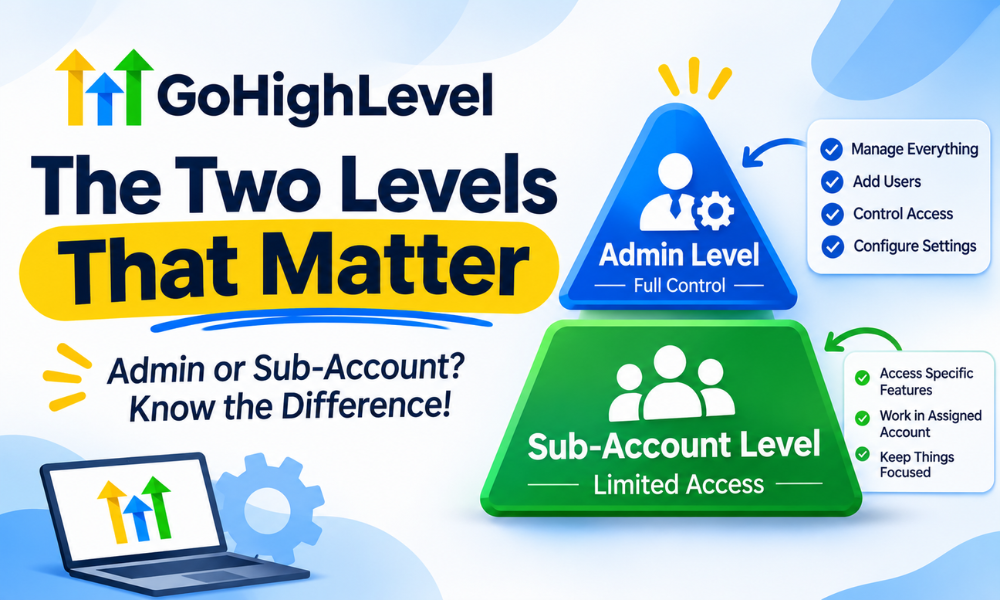
The two levels that matter
GoHighLevel separates agency-level access from sub-account access, and conflating them is where most mistakes begin.
Agency level
An agency user can see every sub-account, change billing, install and remove apps, and create or delete sub-accounts outright. There is no partial version of this worth pretending about: agency admin is the keys to everything, including the ability to remove other admins.
The rule we use: agency admin for owners and the one person who runs the platform. Nobody else, ever, including the developer you trust and the VA who has been with you two years. Not because of suspicion — because an account with twelve admins has no audit trail worth reading.
Sub-account level
Inside a sub-account, users are broadly either an admin, who can change configuration, or a user, who works within it. On top of that sits a set of toggles controlling which sections a person sees at all — conversations, opportunities, payments, reporting, settings, and so on.
Those toggles are where the real design happens. A salesperson needs conversations, calendars and opportunities. They do not need workflow editing, and giving it to them is how a working automation acquires an unexplained extra step.
A structure that holds up
- Agency admin — owner, plus one. Billing, sub-account creation, app installs.
- Account manager — sub-account admin on their own clients only. Can configure, cannot touch billing or other clients.
- Builder or specialist — sub-account admin with workflow and funnel access, no payments, no client billing.
- Salesperson — user. Conversations, calendars, opportunities, contacts. No settings, no workflows, no bulk export.
- Client — user in their own sub-account only, with reporting and conversations. Never agency level, for any reason.
- Contractor — the narrowest set that lets them do the job, with an end date in your calendar to remove them.
That last one is the habit worth building. Access granted for a two-week project outlives the project by about eighteen months unless somebody writes down when to remove it.

The specific permissions worth thinking twice about
Bulk export
The ability to export contacts is the ability to take your database home. There are legitimate reasons to need it and very few people who need it routinely. Turn it off by default and turn it on for the afternoon somebody genuinely needs it.
Workflow and automation editing
A live workflow is production software. Editing one should be as deliberate as deploying code, and the fewer people with the button the fewer mystery changes you will spend an afternoon tracing. If several people do need it, the naming and documentation discipline becomes essential rather than nice to have.
Payments and invoicing
Separate from everything else. The person who books appointments does not need to issue refunds, and separating the two is standard practice everywhere outside small businesses, for good reasons.
Settings
Settings access includes things that are quietly destructive — changing a phone number, altering a domain, reconfiguring a calendar that already has bookings. Restrict it, and accept the small cost of people asking you to make changes.
Giving clients access without regret
Clients asking to log in is a good sign. It also needs setting up properly, because a client who sees something they should not sees it once and remembers it forever.
- Create them as a user in their own sub-account only, never at agency level.
- Enable reporting and conversations. Those answer the questions clients actually have.
- Disable settings, workflows, payments and bulk export unless there is a specific reason.
- Walk them through it once on a call. Access without a tour generates more support requests than no access at all.
- Write down what they can see, so the next conversation about it is short.
If you are onboarding clients into sub-accounts regularly, this should be part of the standard setup rather than a decision each time — our guide to sub-account onboarding workflows covers building that as a repeatable flow.

A review worth doing twice a year
Twenty minutes, calendar it:
- List every user at agency level. Remove anyone who is not an owner or the platform owner.
- List every user per sub-account. Remove anyone who left, and anyone whose project ended.
- Check who has bulk export. Reduce it to the smallest possible set.
- Check who has workflow editing. Same.
- Confirm every remaining account belongs to a named person, not a shared login.
Shared logins are the one to kill first. “The office account” means no action is attributable to anyone, which makes every other control decorative.

Frequently asked questions
Can a client see other clients’ data?
Not if they are a user inside their own sub-account. They can if you mistakenly give them agency-level access, which is the one genuinely serious permissions error available in the platform. Check the level, not just the role, whenever you add a client.
Should my VA have admin access?
Sub-account admin on the accounts they work in, yes, usually — that is what lets them do the job without asking you for every change. Agency admin, no. The distinction is covered in what a GoHighLevel VA actually does all day, which goes through what the role actually involves day to day.
How do I stop people exporting contacts?
Turn off the export permission for everyone who does not need it, which is most people. There is no way to make data wholly un-copyable by someone who can see it, so this is about removing the one-click path rather than building a vault.
What happens to a workflow when I remove a user?
It keeps running, but anything that routed to that person — task assignment, round-robin membership, notification — needs reassigning or it fails quietly. Removing a user is a two-part job: remove the access, then search for their name in assignments.
Where to start
Open the agency user list right now. If there are more than two or three people on it, you have found the thing to fix this week, and it takes minutes.
Then pick one sub-account and look at who can export contacts. The answer is usually everybody, and it is usually the first thing a departing contractor uses. If you want this structured properly across a client book, our dedicated GoHighLevel virtual assistant set it up as part of onboarding rather than as a cleanup job — you can book a free GoHighLevel audit and our GoHighLevel agency support team will go through the user list with you.