
GoHighLevel Conversion Tracking: Why Your Numbers Never Match (And How to Fix It)
Every agency hits this moment. Facebook says forty-two conversions. GoHighLevel shows twenty-nine opportunities. Google Ads claims eighteen. You stare at three dashboards that are all supposedly measuring the same week of the same campaign, and none of them agree.
The instinct is to assume something is broken. Usually nothing is. The three systems are counting different things, in different ways, over different windows — and until you know exactly which thing each one counts, you cannot tell a tracking problem from a performance problem. That distinction matters, because one costs you an afternoon and the other costs you budget.
This is the practical version: what actually breaks, how to set up conversion tracking so the numbers reconcile, and how to read the reports afterwards without quietly lying to yourself.
Why your numbers were never going to match
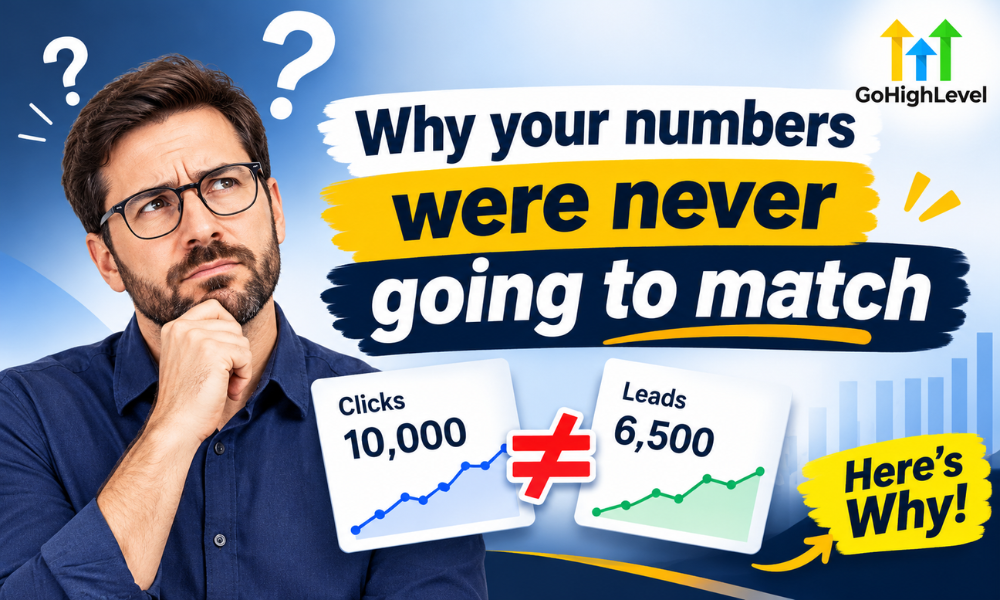
Start with the uncomfortable truth: perfect agreement between an ad platform and your CRM is not the goal, and chasing it wastes weeks. The platforms are built on different models.
An ad platform counts events it can attribute to its own clicks, inside a window it chooses, usually with view-through attribution switched on by default. It is incentivised to claim credit. GoHighLevel counts records in your database — contacts and opportunities — and it has no opinion about which ad deserves credit unless you explicitly told it.
So a single buyer who clicks a Facebook ad on their phone, does nothing, searches your brand on a laptop two days later and fills in the form, will appear as one conversion in Facebook, one conversion in Google, and one contact in GoHighLevel. Three systems, three totals, one human being. Nothing is broken.
What you should expect is directional agreement: when the ad platform’s conversions go up, your opportunities should go up by a similar proportion. When that relationship breaks — clicks climbing while opportunities stay flat — you have a real problem worth investigating.
The four places attribution actually breaks
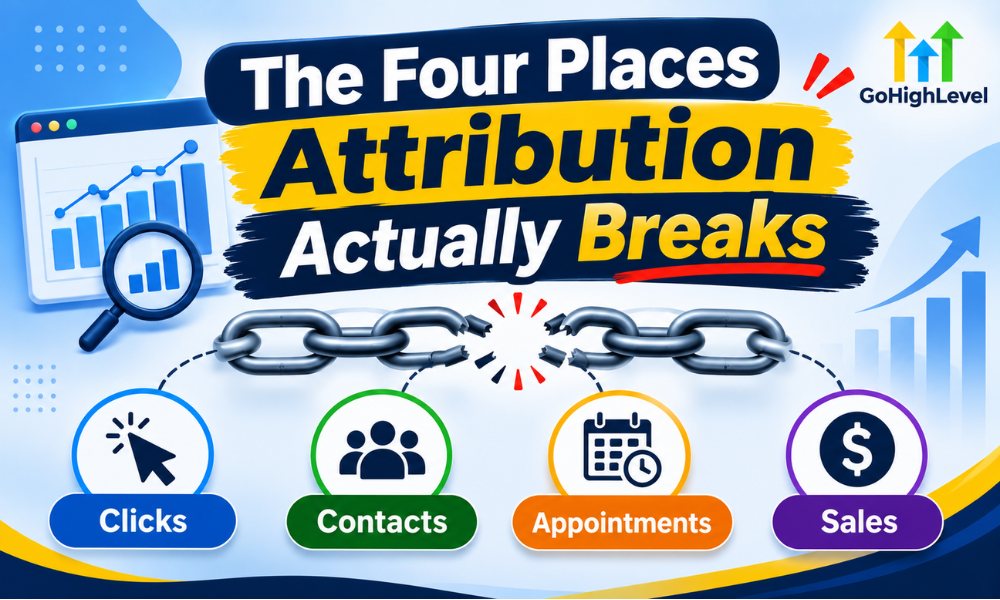
1. The click lands and the UTMs vanish
This is the most common failure and the easiest to miss. Your ad URL carries UTM parameters. Then something strips them: a redirect that does not forward the query string, a link shortener, a domain forward set up years ago, or a funnel step that reloads without preserving the URL.
Test it in thirty seconds. Click your own live ad, land on the page, and look at the address bar. If the UTMs are not there, every downstream report is already guessing. No amount of CRM configuration fixes a parameter that never arrived.
2. The form submits and nothing records the source
GoHighLevel forms do not automatically write the traffic source onto the contact. If you have not added hidden fields that capture the UTM values on submit, the contact record is created with no origin at all. The lead exists. Where it came from does not.
Agencies discover this months in, when someone finally asks which campaign produced the best clients and the honest answer is that nobody can tell. If you are building forms inside a funnel, this is worth getting right at build time — our GoHighLevel funnel builder team adds source capture as standard rather than as a retrofit.
3. The opportunity is created without inheriting the source
Even when the contact carries a source, the opportunity often does not. In GoHighLevel the contact and the opportunity are separate objects. A workflow that creates an opportunity has to be told to copy the source across. If it is not, your pipeline reports by stage beautifully and by origin not at all.
This is the single most valuable fix on the list, because the opportunity is where revenue lives. Attributing contacts tells you what generates interest. Attributing opportunities tells you what generates money, and those two lists are rarely the same.
4. The report counts the wrong unit
The last break is interpretive. GoHighLevel will happily show you contact counts when you meant deal counts, or count a contact twice because the same person filled in two forms with different email addresses. Duplicate contacts inflate every number above them.
Before trusting any report, run a duplicate check on email and phone. A database with eight per cent duplicates produces reports that are eight per cent optimistic, consistently, in the direction you want to believe.
Setting it up so the numbers reconcile
The setup below takes two to three hours on an existing account. Do it in this order, because each step depends on the one above it.
Standardise your UTM scheme first
Agree the naming convention before you tag anything, and write it down. Lowercase everything. Use source for the platform (facebook, google, email), medium for the type (cpc, organic, newsletter), and campaign for the offer. The reason to fix this first is that inconsistent tagging is unfixable retroactively — Facebook, facebook and FB become three separate rows in every report you ever run.
Capture the UTMs on every form
Add hidden fields to each form for source, medium and campaign, then populate them from the URL on page load. GoHighLevel can map these into contact custom fields on submit. Do this on every form, including the ones you forgot about — the sidebar opt-in, the popup, the booking calendar.
Carry the source onto the opportunity
In the workflow that creates opportunities, map the contact’s source custom field onto the opportunity. This is a one-line change that most accounts never make, and it is what turns your pipeline into an attribution report. An GoHighLevel automation specialist will usually do this as part of a workflow audit.
Fire conversion events at the right moment
Fire the pixel or conversion event on the confirmation page, not on the button click. Button clicks include every failed submission, every validation error and every double-click. Confirmation pages only load when something genuinely happened.
Reconcile weekly, not quarterly
Put fifteen minutes in the calendar each week to compare ad platform conversions against GoHighLevel opportunities for the same period. You are not looking for identical numbers. You are looking for the ratio to stay stable. A ratio that suddenly moves is a tracking break, and catching it in week one instead of quarter one is the entire point.
Reading the report without fooling yourself
Once tracking is correct, the reporting discipline matters as much as the setup. Four rules keep the numbers honest:
- Report on opportunities, not contacts, when the question is about money. Contacts measure interest. Opportunities measure intent. Won opportunities measure reality.
- Use first-touch for channel decisions and last-touch for creative decisions. First-touch tells you which channel introduced the customer. Last-touch tells you which message closed them. Using one number for both questions produces confident, wrong answers.
- Always compare like periods. A month with five Mondays is not comparable to a month with four. Weekly cohorts are more honest than monthly totals.
- Treat any gap over twenty per cent as a defect, not a quirk. If the ad platform reports a hundred conversions and you see sixty opportunities, that is forty missing records. Find them before you change your bidding.
If you want to go further on building the reports themselves rather than the tracking underneath them, our guide to GHL reporting and analytics covers the dashboard side. And if your funnel is converting poorly rather than reporting poorly, a structured GHL funnel audit is the better starting point.
A worked example, with the numbers
Abstract advice is easy to nod along to and hard to act on, so here is a real shape of the problem using round numbers. An agency runs a month of paid traffic for a local services client. Facebook reports 120 conversions. GoHighLevel shows 71 opportunities. The client sees a 41 per cent gap and concludes the agency is wasting money.
The audit finds three separate causes, none of which is wasted spend. First, the Facebook lead form and the website form both feed the same pipeline, and 18 of those leads submitted both — duplicate humans, counted twice by Facebook, merged into single contacts by the CRM. Second, a redirect on the offer URL was dropping UTMs, so 22 leads arrived with no source and were never attributed to the campaign at all. Third, view-through conversions were switched on, crediting 9 people who never clicked anything.
Corrected: 120 reported, minus 18 duplicates, minus 9 view-through, equals 93 genuine clicked conversions. Against 71 attributed opportunities plus the 22 unattributed ones, that is 93. The numbers reconcile exactly, and the campaign was never the problem. The reporting was.
This is the normal outcome. In most accounts we audit, the campaign performance is roughly what the ad platform claims and the CRM is undercounting because of plumbing. The danger is the decision that gets made in the meantime — pausing a profitable campaign because a dashboard made it look unprofitable.
The three questions tracking should answer
A tracking setup is finished when it can answer three questions without anyone opening a spreadsheet. If yours cannot answer all three, it is not done yet.
Which channel produces customers, not leads?
Almost every account can tell you which channel produces the most contacts. Far fewer can tell you which produces the most won opportunities. These are frequently different channels, and the gap between them is where budget gets misallocated. A channel that delivers cheap leads with a two per cent close rate is more expensive than one delivering costly leads that close at twenty.
What does a customer actually cost?
Cost per lead is a vanity number. Cost per won opportunity is the one that decides whether the account is viable. You can only calculate it when the opportunity carries its source, which is why step three of the setup matters more than the rest combined.
How long does the journey take?
If your opportunities carry a source and a created date, you can measure time from first touch to close. That number changes how you staff follow-up. A 45-day average sales cycle means your nurture sequence needs to survive six weeks, not six days, and most GoHighLevel workflows are built for the latter.
When this is worth outsourcing
Conversion tracking is a two-hour job when you know GoHighLevel well and a two-week job when you do not, mostly because the failure modes are silent. Nothing errors. The forms submit, the contacts appear, the dashboards populate — and the numbers are quietly wrong for a quarter.
If your account has grown organically, has more than a handful of funnels, or was configured by several different people over time, an audit by a GoHighLevel CRM setup specialist will usually find three or four of these breaks at once. Where the fix needs custom field logic or an API-level integration with an external system, that becomes work for a GoHighLevel developer. For ongoing weekly reconciliation and report maintenance, a dedicated GoHighLevel virtual assistant is the cheaper long-term answer than doing it yourself at midnight on a Friday.
Either way, fix the tracking before you judge the campaigns. Decisions made on broken attribution are worse than decisions made on no data at all, because they come with false confidence attached.
Frequently asked questions
Why does GoHighLevel show fewer conversions than Facebook?
Facebook counts view-through conversions and attributes across devices within its own window. GoHighLevel counts records that actually entered your database. A gap of ten to thirty per cent is normal. A gap above that usually means UTMs are being stripped or forms are not capturing source.
Does GoHighLevel track conversions automatically?
It tracks contacts and opportunities automatically. It does not attribute them to a traffic source unless you have configured UTM capture on your forms and mapped those values onto the contact and opportunity records.
Where should I fire the conversion pixel in a GoHighLevel funnel?
On the thank-you or confirmation step, not the form button. Button-click events count failed and duplicate submissions, which inflates your reported conversions and corrupts your cost-per-acquisition.
How do I stop duplicate contacts inflating my reports?
Run a duplicate scan on email and phone before reporting, and enable duplicate detection on your forms. Merge duplicates rather than deleting them so you keep the activity history attached to the surviving record.
Should I use first-touch or last-touch attribution in GoHighLevel?
Use both, for different decisions. Record the first source on the contact and never overwrite it — that answers which channel introduces customers. Record the most recent campaign on the opportunity — that answers which offer closed them. Overwriting first-touch with last-touch is the most common configuration mistake, and it silently erases your channel data.
How long should I wait before judging a campaign on CRM data?
At least one full sales cycle plus two weeks. If your average time from contact created to opportunity won is 30 days, a campaign running for 14 days has produced almost no won opportunities yet, and judging it on that window will always make it look worse than it is.
Tracking set up correctly once will outlast every campaign you run through it. If you would rather have it audited and fixed properly than spend a fortnight discovering the failure modes yourself, book a free GoHighLevel consultation and we will tell you exactly what is broken before you commit to anything.